
RayScan documentation
You connect a website and describe the task in plain language. RayScan receives a permitted copy, checks it in an isolated workspace and helps prepare a fix. The result is a report, a proposed change and a repeatable verification; the live website is not changed by the first MVP.
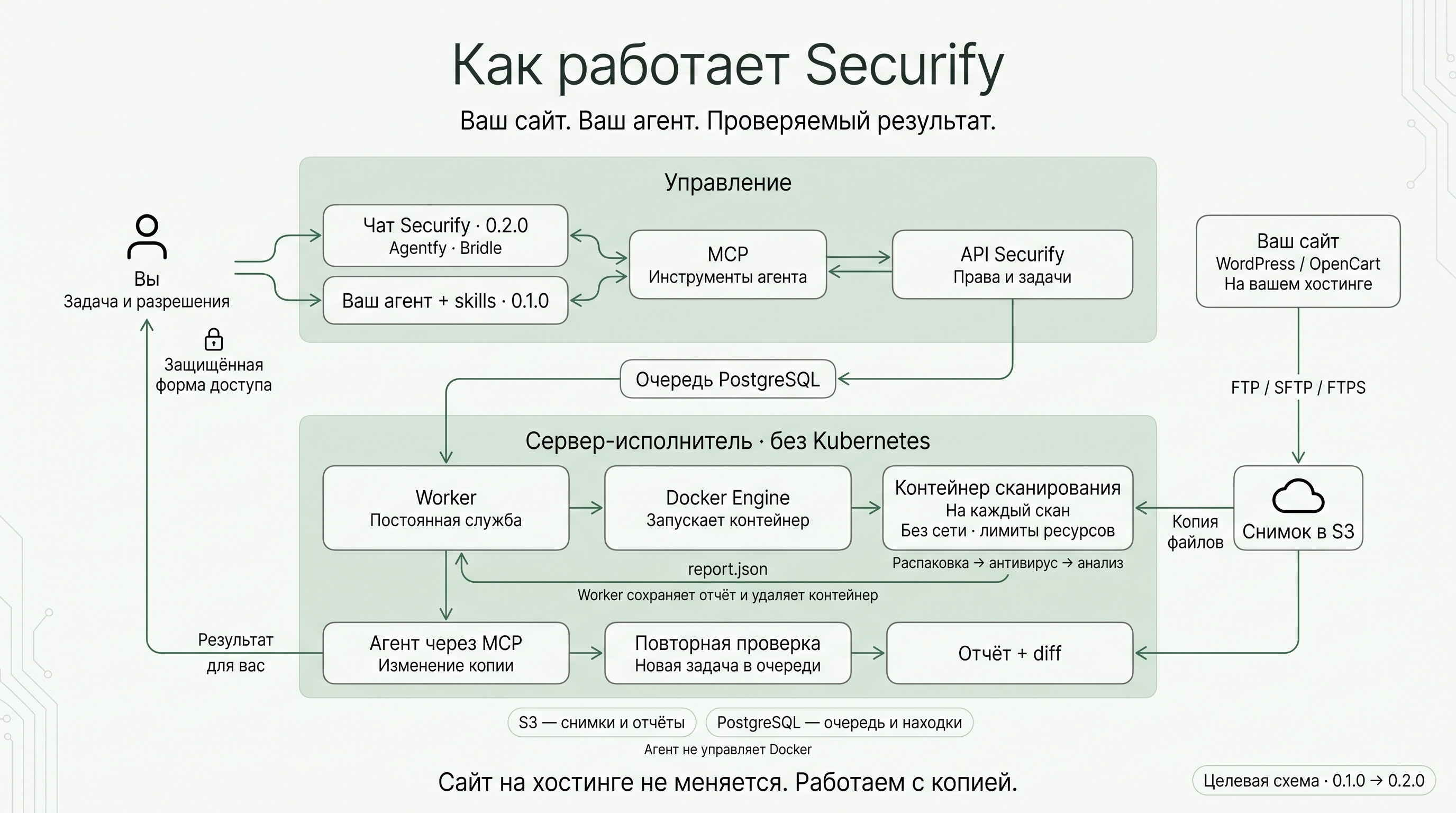
- Connect a website. Enter FTP, SFTP or FTPS access in a protected form. The agent does not receive the password.
- Start a task. The API checks permissions and places the job in the queue.
- Create and scan a snapshot. Files are stored in private S3-compatible Object Storage. A Worker starts a temporary Docker container with resource limits and no network access.
- Review findings. The agent reads the report through MCP, explains the issue and proposes a plan for the working copy.
- Verify the result. RayScan stores the report and diff and can repeat the check. Publishing to the hosting account is a separate future capability.
Current state
On the local stand the repository runs the API (read-only MCP diagnostic tools over stdio; on the local HTTP listener the app's /v1 and POST /mcp for an agent), the scanner with its worker, and a local chat demonstration. Production runs no API yet. The 0.1.0 and 0.2.0 documents are implementation plans, not shipped releases.
Main sections
| Section | Question it answers |
|---|---|
| Mission | Why are we building RayScan? |
| Market | Which problem and alternatives are we addressing? |
| Architecture | How do data, access and scanning work? |
| Product scope | What belongs in the next release? |
| Plan | What are we doing in the next two weeks? |
| User flow | How does a customer reach a result? |
| UI design | How do we keep the product simple and accessible? |
Development references
Spec Kit · Current state · Local development · Infrastructure · Deployment